

I used to dread the moment a new online casino made me create yet another username and password. When I found out that συνδεθείτε στο casiniaκαζίνο allows me to sign in with my existing Google or Facebook account, the whole experience transformed. Instead of filling out long forms, I press one button and I enter my account in seconds. The speed is pleasant, but the real convenience comes from the fact that I skip juggling another set of credentials. In Greece, nearly everyone uses Google or Facebook daily for communication and services, so this integration feels natural. I rarely reset a forgotten casino password because I rely on the same login I use dozens of times a day. I’ll guide you through how the Google and Facebook login functions at Casinia Casino, how to sign up, what verification steps ensue, and how to handle any hiccups along the way. I’ll also discuss the security habits that protect my account without making the process into a chore.
Why I Choose Logging In with Google or Facebook at Casinia Casino
The first time I noticed the “Log in with Google” and “Log in with Facebook” buttons on the Casinia Casino login page, I felt intrigued yet wary. I wondered whether it was safe and what data the casino would access. Once I tested it, I recognized the advantages. I no longer need to memorise a separate password for my casino account. My Google or Facebook credentials already benefit from strong security measures, including the choice of two-factor authentication on those platforms. The enrollment process is almost instantaneous. Casinia Casino pulls only the basic profile information I’ve permitted, such as my name and email, and populates the registration fields. I still need to validate my details and consent to the terms, but the manual typing is minimal. That saves me time and minimizes the risk of a typo that may later result in verification delays. And because my social account is tied to my real identity, it helps the casino’s compliance team verify that I’m a real player, which can speed up the Know Your Customer (KYC) process later on.
How I Created an Account at Casinia Casino Using My Google Account
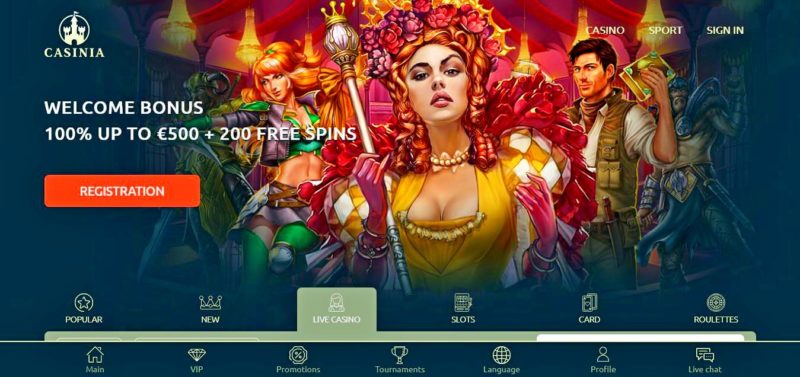
The sign-up took less than a minute. I went to Casinia Casino and hit “Sign Up” to reach the registration page, which displayed the two social login options. I picked “Log in with Google.” A pop-up came up requesting me to choose my Google account; since I was already logged in, I selected my email. The system then asked for permission to access my basic profile information and email address. I checked the permissions: the casino only receives my name, email, and profile picture, without any contacts or Drive. After I hit “Allow,” I was sent back to the casino. The registration form was auto-filled with my name and email. I only was required to select my preferred currency, acknowledge I am of legal age, and agree to the terms. I clicked “Complete Registration,” and my account was live immediately. I got a confirmation email, but I wasn’t required to click a verification link because the social login already validated my email address.
What Occurs After Social Sign-Up – Verification and Safety
Setting up an account with a social login does not mean I can bypass identity verification. Casinia Casino still needs a full KYC check before any withdrawal. The benefit is that my email is already confirmed, providing the verification team a head start. To finish verification, I went to “My Account” and uploaded a clear photo of my government-issued ID (passport or national ID) and a recent utility bill or bank statement showing my name and address. The review usually requires 24 to 48 hours, though I’ve seen it done faster. While waiting, I could deposit and play, which I valued. Casinia Casino also encourages setting up two-factor authentication (2FA). I turned on 2FA via an authenticator app on my phone, which creates a unique code each login. Even though my Google account has its own 2FA, adding casino-level 2FA made me feel doubly secure. The pairing means that even if someone got my Google password, they would still have to have my phone to access my gaming account.
Fixing Common Login Difficulties When Utilizing Google or Facebook
Even a smooth system can experience a snag, and I have come across a few minor problems over time. Here are the most common login difficulties I dealt with and how I solved them.
- Pop-up blocked: My browser’s pop-up blocker blocked the Google or Facebook authorisation window from appearing. I permitted pop-ups for Casinia Casino in my browser settings, and the login button operated instantly.
- Session expired after password change: When I changed my Facebook password, the casino session became invalid. I cleared my browser cache and cookies, reopened the browser, and the social login functioned again.
- Ad blocker interference: Some privacy extensions interfered with the OAuth flow. Temporarily disabling them for the casino’s domain fixed the issue.
- Revoked social account access: If I accidentally removed Casinia Casino from my Facebook app settings, I could no longer log in. I contacted customer support, verified my identity, and they aided me establish an email-based login as a backup.
I suggest keeping your social account active and not cancelling the casino’s permissions unless you are willing to switch login methods with support’s help.
FAQ
Is it possible to use both Google and Facebook to log into the same Casinia Casino account?
Connecting Multiple Social Accounts
No, Casinia Casino allows only one social login provider per account. When I signed up with Google, that was set as my permanent login method. If I chose to switch to Facebook, I would be required to contact customer support and undergo a manual verification process to remove Google and connect Facebook. I advise choosing the platform you use most consistently and keeping it to sidestep unnecessary hassle.

What is the outcome if I lose my access to my Google or Facebook account?
If I ever lose access to the social account I utilized for login, I cannot access Casinia Casino until I regain it. I immediately contacted the casino’s support team from my registered email. They requested me to carry out a short identity verification by providing a copy of my ID and a selfie. Once verified, they aided me set up an email-based login so I could recover control of my gaming account without the social account.
Are my personal details secure when I access with social media?
Yes, the process is designed to protect my data. When I use Google or Facebook to log in, Casinia Casino receives only the information I clearly allow, typically my name, email, and profile picture. The casino never views my social media password. The connection uses secure OAuth technology, which indicates my credentials are processed directly by Google or Facebook, not saved on the casino’s servers. I always verify the permissions pop-up before approving.
Must I still to verify my identity if I sign up with a social account?
Certainly. The social sign-up only expedites the email confirmation step. Casinia Casino still needs full KYC verification before I can withdraw any winnings. I had to provide a valid ID document and a proof of address. This is a standard regulatory requirement that applies to all players, no matter how they created their account. Skipping this step is not possible, and trying to do so will only postpone my first payout.
Am I able to turn off social login and use a regular password instead?
Yes, I can switch to a traditional email-and-password login at any time. I went to the “Account Settings” area and looked for the login preferences option. From there, I triggered a password reset request for my registered email. Once I set a new password, I could log in with that instead of the social button. The social link remained active as a backup, but I could also request support to remove it completely if I wanted.
Why is it that the social login pop-up not appear upon clicking the button?
This usually happens since my browser is blocking pop-ups. I went into my browser’s site settings and added Casinia Casino to the allowed list for pop-ups. Another cause may be an ad blocker or privacy extension that interferes with the OAuth flow. Temporarily disabling those extensions for the casino’s domain fixed the issue. If the problem persists, I tried a different browser or cleared my cache, which resolved it every time.
Can Casinia Casino post anything on my Facebook timeline without my permission?
No, Casinia Casino does not post on my behalf. The Facebook login is used strictly for authentication. During the permission step, I saw that the casino only requests access to my public profile and email address. There is no permission to post, manage pages, or access my friend list. I have never seen any unwanted posts appear on my timeline after using this login method, and I can verify this in my Facebook activity log.
Commenti recenti